Get a demo

Task management software for agencies

Every task, brief, and deadline in one place

Synergist helps agencies and consultancies manage tasks, workflows, and project activities using customisable Kanban boards. Every task connects to your jobs, timesheets, and resource schedule, so nothing falls between the cracks.

Build Kanban boards for agency workflows and projects

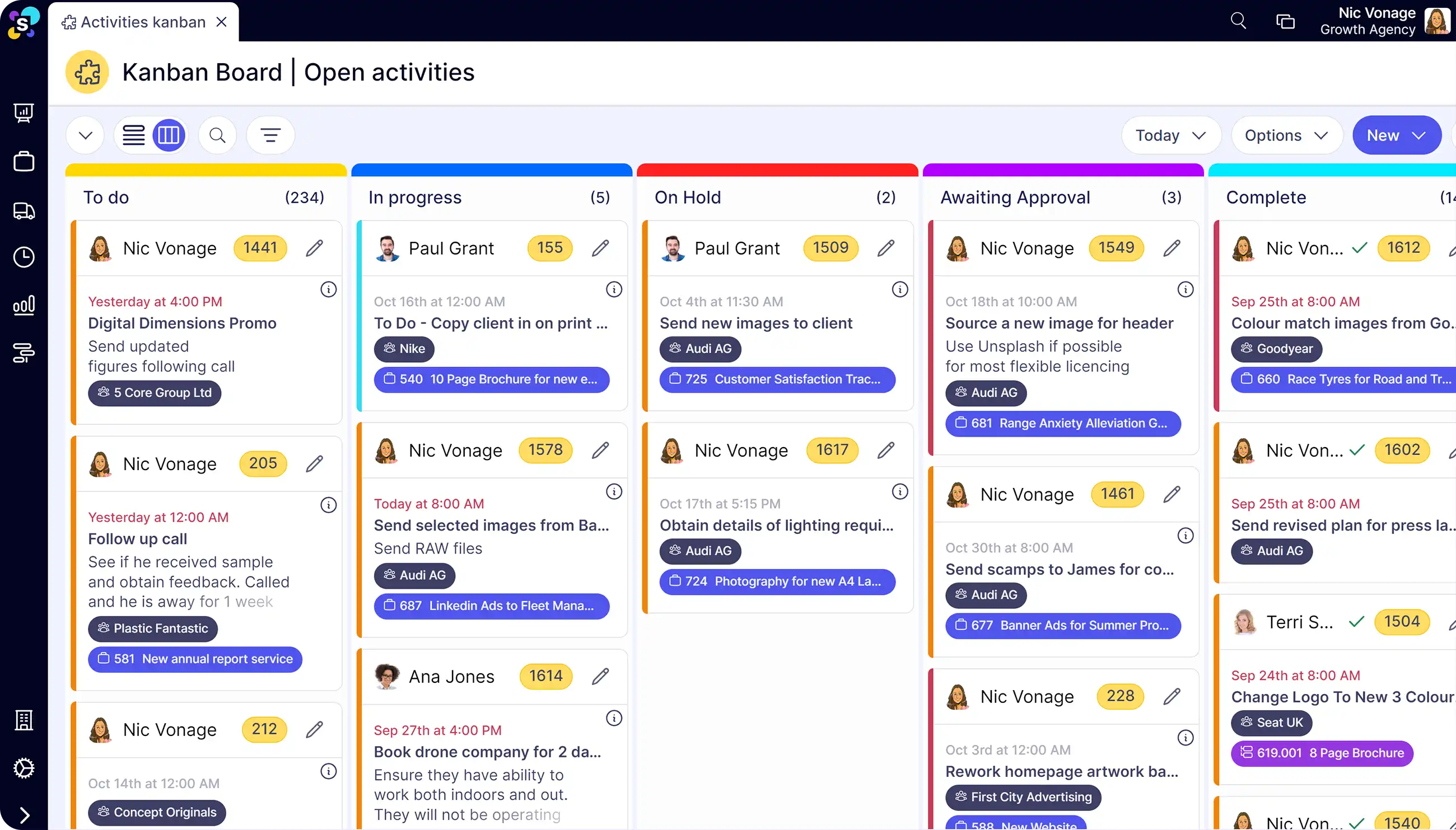
Synergist's Kanban boards let you create customisable workflows for everything from new business activities and project tasks to client onboarding and team training. Tasks can be assigned to individuals or teams, with details, deadlines, checklists, and documents all attached to each card.

  • Create multiple boards with customisable headings for different parts of your business, for example production, sales, or client services

  • Use ready-made templates or customise columns for different types of work

  • Add tasks and customise activity types such as work requests, calls, emails or follow-ups, so you can filter and block time on similar activities

  • Assign tasks to a team or individual and send instant notifications and reminders to keep things on track. Team members can log time against each activity so you can track time spent

  • Add details, start and due dates, priority, colour coding, checklists, attachments, comments and follow-ups so everyone has the right information to complete the job

  • Turn an activity into a live job with a click of a button as soon as a task becomes chargeable

Track agency task progress and keep your team aligned

Every team member can see what's in progress, what's been completed, and what's still to do across your agency. Add watchers to any card so the right people are alerted when tasks are updated, completed, or need attention.

  • View all activities across your agency for an early indication of potential issues or overloaded teams. Filter boards by client, job, phase, or team to see what's outstanding and spot bottlenecks

  • Drag and drop cards from one stage to the next for a clear overview of project progress

  • Add comments, files, mentions and updates to a card. When activities are marked as complete, Synergist emails the project manager and any watchers, and storer a full activity history

  • See tasks at a single job level or zoom out across the whole business by client, team, person, or activity type for centralised visibility of everything that's in play

The Think Tank, a 40+ person B2B marketing agency, uses Synergist's Kanban boards to manage creative and content workflows across their team.

We can add the brief, details, and comments, allowing them to view in Synergist what they are assigned each day. We’ve tailored it for our needs, which is really useful functionality.

Image of Justina Jackūnė
Justina Jackūnė Head of Operations at The Think Tank
Why not just use a standalone task management tool?

Standalone task tools like Trello or Asana are great at tracking cards across columns. But they don't know anything about your project budgets, time estimates, or who's actually available to do the work. Tasks live in one system, time tracking in another, and scheduling in a third.

In Synergist, every task sits inside a job with an estimate, a budget, and a resource schedule. When someone logs time against a task, the project budget updates. When a task becomes chargeable, you can turn it into a live job with one click. That connection between tasks, time, and money is what standalone tools can't give you.

Want a deeper look? Watch our product tour to see how agencies manage projects with Synergist.

Centralise agency project communication in one place

Synergist's task management doubles as your project communication hub. Meeting notes, decisions, feedback, emails, and file attachments are all stored against the job, so there's a complete history of what's been discussed, agreed, and delivered without relying on anyone's inbox.

  • Record meeting notes, capture decisions, and add comments or feedback directly against individual tasks

  • BCC emails to Synergist to file them automatically against the right client, prospect, or job, so sign-offs and key correspondence are shared with the whole team

  • Store briefs, assets, approvals, and final deliverables against each job. Upload files, create documents from briefing templates, link to cloud storage like SharePoint, or add URLs

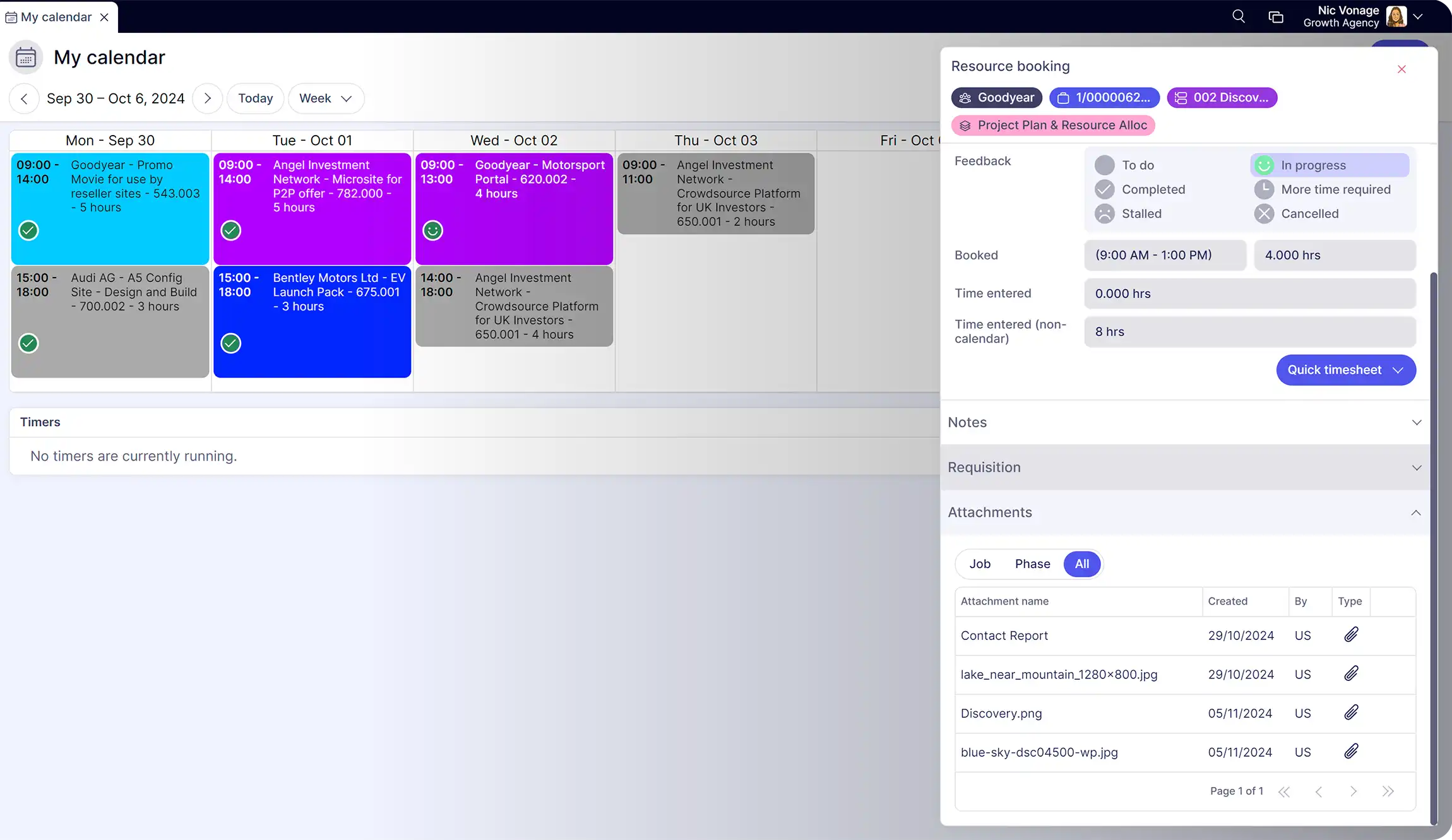
  • When tasks are booked into the resource calendar, any info and attachments on the job are shared, so your team has everything they need before they start

Frequently asked questions

Can I customise Kanban boards in Synergist for different types of work?

Yes. Synergist lets you create different boards with custom columns for different workflows. You can set up separate boards for new business activities, project delivery, client onboarding, team training, or any other process your agency runs.

Can team members log time against tasks in Synergist?

Yes. Team members can log time directly against individual tasks and activities. That time feeds into project budgets and utilisation reports automatically, so you don't need a separate time tracking tool.

Does Synergist notify team members when tasks are assigned or updated?

Yes. Synergist sends instant notifications when tasks are assigned, and automatic email alerts when activities are completed or comments are added. Project managers and watchers are kept informed without having to check the board manually.

Can I turn a non-chargeable task into a billable job in Synergist?

Yes. If a task or activity becomes chargeable, you can convert it into a live job with one click. This means you can track new business or internal activities on a Kanban board and seamlessly move them into your project workflow when they're ready to bill.

Have more questions? Drop us an email enquires@synergist.co.uk

Related resources

Agency guides

The complete guide to agency project management